
Your Mac is hiding
gigabytes of junk.
Every app you drag to Trash leaves behind hidden files — preferences, caches, containers, and launch agents. App Uninstaller finds and removes every last trace.
Free 3-day trial · No credit card needed · macOS 14+ · Launch sale: $9.99 $14.99
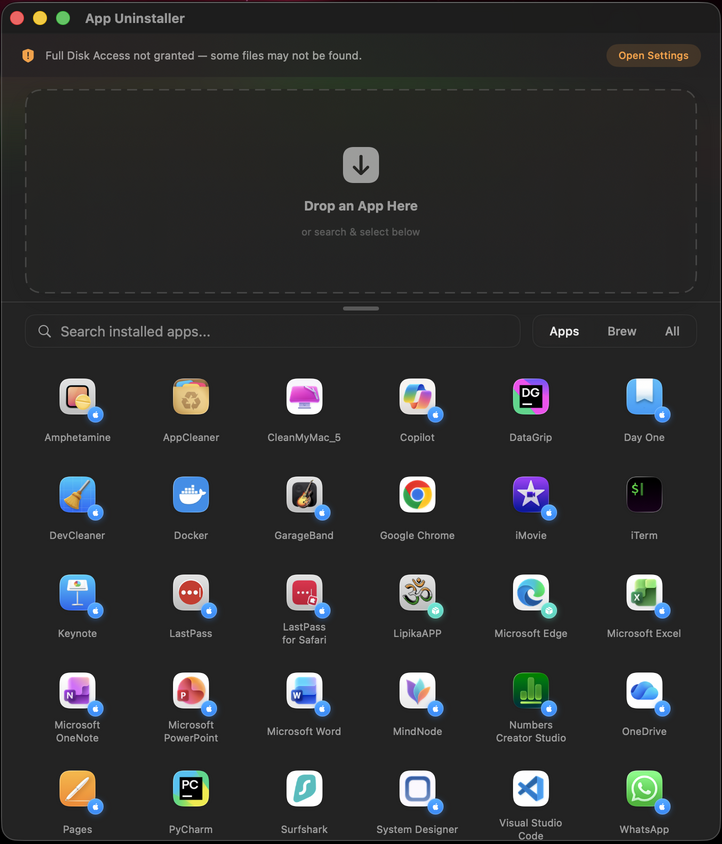
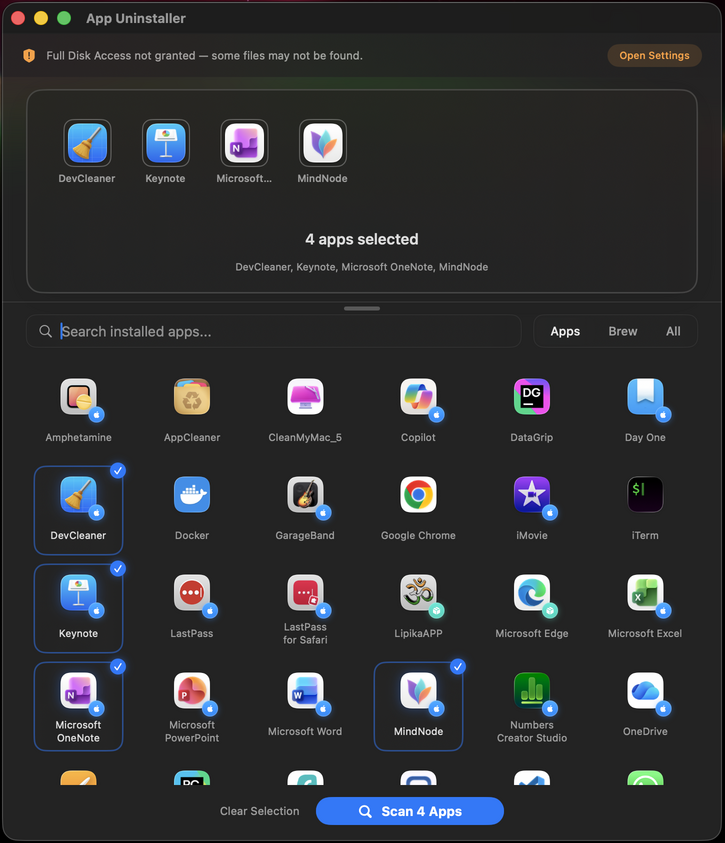
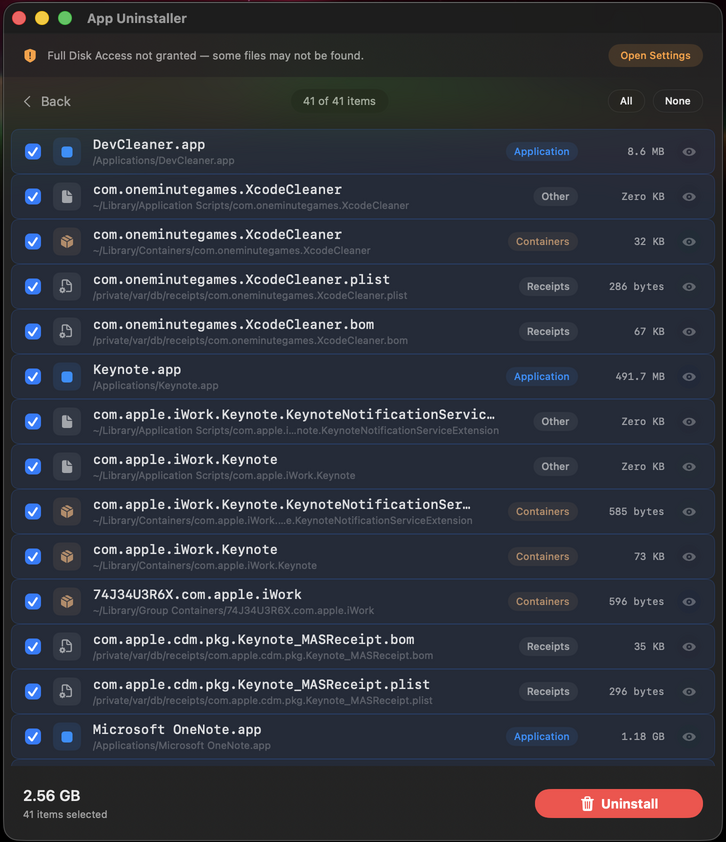
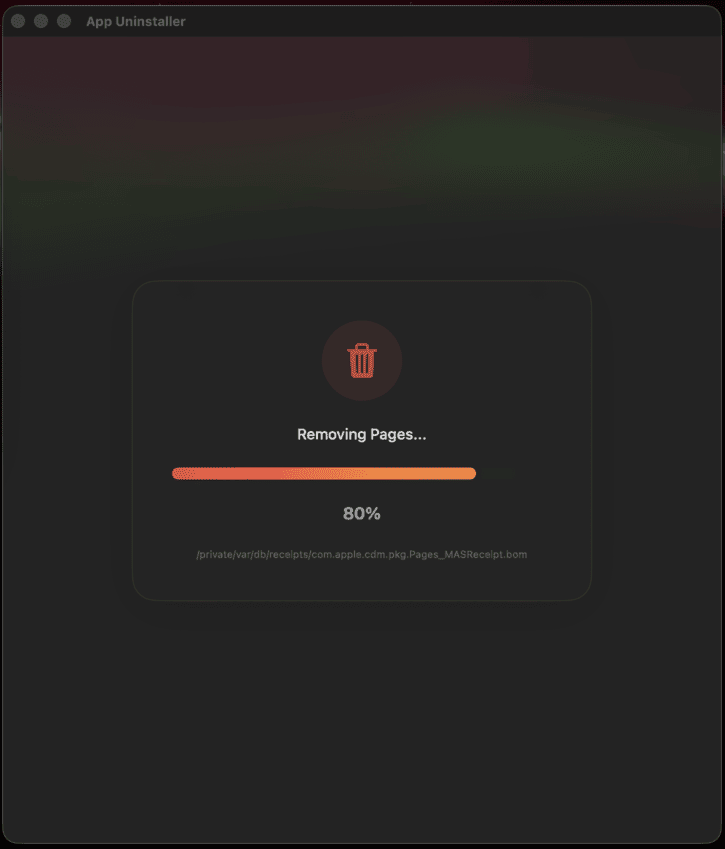
See the difference
Here's what happens when you uninstall Slack by dragging it to Trash vs. using App Uninstaller.
12 files left behind
- com.tinyspeck.slackmacgap.plist 4 KB
- Application Support/Slack/ 89 MB
- Caches/com.tinyspeck.slackmacgap/ 214 MB
- Saved Application State/ 1.2 MB
- com.tinyspeck.slackmacgap.helper 18 MB
- ...and 7 more files
0 files left behind
- .app bundle removed
- Preferences cleaned
- Caches deleted
- Containers removed
- Launch agents cleared
- Helper tools removed
Built exclusively for Mac
macOS doesn't have a built-in uninstaller. When you drag an app to Trash, it leaves behind preferences, caches, containers, and support files scattered across your system.
Trash doesn't clean up
macOS only removes the .app bundle. Preferences, caches, and support files stay behind forever.
Files hide everywhere
Apps scatter data across ~/Library, /Library, containers, launch agents, and more — all invisible in Finder.
Storage fills up fast
Leftover files from uninstalled apps can take up gigabytes, especially on smaller Mac SSDs.
Native macOS app
Built with SwiftUI, notarized by Apple. Designed for macOS 14+ with full dark mode and native performance.
What makes it different
Goes deeper than any other uninstaller on the market.
Deep File Scanning
Scans 15+ system locations — Application Support, Caches, Preferences, Containers, Launch Agents, Saved State, and more.
Homebrew Integration
Detects and cleanly uninstalls Homebrew casks and formulae. Runs brew uninstall before deep cleaning leftover files.
Install Source Detection
Identifies how each app was installed — Mac App Store, Homebrew, pkg installer, or direct download — with visual badges.
System Protection
Prevents accidental removal of critical system apps, MDM-managed apps, and macOS components. Safe by default.
Stale ID Detection
Finds files from apps that changed their bundle ID over time. Catches orphaned preferences other uninstallers miss.
Native macOS Design
Built with SwiftUI. Glass materials, smooth animations, dark mode support. Feels like it belongs on your Mac.
Works with everything
No matter how you installed it, App Uninstaller handles it.
How it compares
See why App Uninstaller finds files others can't.
| Feature | Drag to Trash | AppCleaner | App Uninstaller |
|---|---|---|---|
| Removes .app bundle | ✓ | ✓ | ✓ |
| Preferences & caches | ✗ | ✓ | ✓ |
| Containers & group containers | ✗ | ✓ | ✓ |
| Launch agents & daemons | ✗ | ✗ | ✓ |
| Privileged helper tools | ✗ | ✗ | ✓ |
| Stale/alternate bundle IDs | ✗ | ✗ | ✓ |
| Homebrew integration | ✗ | ✗ | ✓ |
| Install source badges | ✗ | ✗ | ✓ |
| Price | Free | Free |
What Mac users are saying
Join hundreds of Mac users who finally got their storage back.
"I had no idea how much junk was hiding on my Mac. App Uninstaller found 3.8 GB of leftover files from apps I deleted months ago. Worth every penny."
"Finally a Mac uninstaller that actually handles Homebrew apps properly. I switched from AppCleaner and the difference is night and day."
"Beautiful native app, feels like it was made by Apple. The deep scan found launch agents and helper tools that no other uninstaller detected."
Frequently asked questions
Everything you need to know before downloading.
Yes. App Uninstaller has built-in system protection that prevents removal of critical macOS system apps, Apple apps, and MDM-managed apps. It only targets files belonging to the specific app you choose to uninstall, and always shows you exactly what will be deleted before you confirm.
AppCleaner misses launch agents, daemons, privileged helper tools, stale bundle IDs, and has no Homebrew integration. App Uninstaller scans 15+ system locations and catches files that free tools leave behind. The comparison table above shows the full difference.
Yes. App Uninstaller detects Homebrew casks and formulae, runs brew uninstall automatically, and then deep cleans any leftover files. It's the only Mac uninstaller with full Homebrew integration.
No. App Uninstaller is a one-time purchase of $14.99 (currently on launch sale for $9.99). You get all future updates included, forever. No subscription, no upsells, no recurring charges.
App Uninstaller requires macOS 14 (Sonoma) or later. It's built with SwiftUI and is notarized by Apple, so it runs natively on both Intel and Apple Silicon Macs.
Absolutely. The free trial gives you full access to every feature for 3 days — no credit card required. Download it, scan your Mac, and see how much hidden junk you have before deciding.
Simple, honest pricing
Pay once, own it forever. No subscriptions, no upsells.
Free Trial
- Full app scanning
- Deep file detection
- Homebrew integration
- All features unlocked
Pro
Launch price — won't last forever
- Everything in trial
- Unlimited use, forever
- All future updates free
- No subscription ever
Stop wasting storage on
apps you already deleted.
Download App Uninstaller and see exactly how much hidden junk your Mac is carrying around.